Honeydew Blog
6 Best Voice-Controlled Family Apps (2026) — Hands-Free & AI-Powered
The 6 best voice-controlled family apps in 2026, ranked. Whisper AI, Alexa, Siri & Google compared. Hands-free family organization for busy parents.
Updated for 2026 — This article has been expanded. Read the comprehensive version: Best Voice-Controlled Family Apps (2026) — Tested & Ranked or see our 2026 Voice Control Guide.
Quick Answer: Honeydew is the best voice-controlled family app, with Whisper AI transcription (>95% accuracy) and natural language handling for complex requests like "plan camping trip and coordinate with the Smiths." Alexa, Siri, and Google Assistant handle basic reminders and lists but aren't built for multi-step family coordination.
Why Voice Control Matters for Family Organization
You're stirring pasta sauce, your phone is across the room, and you just remembered you need to add swim lessons to Tuesday's schedule. What if you could just... say it?
Voice control isn't a gimmick—it's a fundamental shift in how busy families can stay organized:
The Multitasking Reality
Parents juggle constantly:
- 🍳 Cooking dinner while remembering to add items to the grocery list
- 🚗 Driving kids while planning the weekend schedule
- 🧹 Cleaning up while coordinating with your spouse
- 👶 Holding a baby while trying to check the family calendar
- 🏃 Morning rush with no free hands to type
Voice input is 3x faster than typing and works when your hands are full, making it the perfect interface for family organization.
Natural Expression
Traditional family apps force you to navigate menus, tap buttons, and fill out forms. Voice control lets you speak naturally:
- ❌ Not: "Open app → Calendar → Add Event → Fill title → Select date → Choose time → Add guests"
- ✅ Instead: "Schedule Emma's soccer practice Wednesdays at 4pm and notify the team"
Accessibility for All Ages
- Kids (who can talk before they can type effectively)
- Grandparents (who might struggle with small screens)
- Anyone with accessibility needs
- Non-technical family members (speaking is intuitive)
This guide compares the 6 best voice-controlled options for family organization, from purpose-built family apps to adapted general assistants.
How We Evaluated Voice-Controlled Family Apps
Voice Recognition Accuracy
- Transcription quality in quiet environments
- Performance with background noise (kitchen, car, kids)
- Multi-language support
- Accent and dialect handling
Natural Language Understanding
- Can it understand requests vs requiring specific command phrases?
- Handles complex, multi-part instructions?
- Contextual awareness ("add it to the list" - which list?)
Speed of Voice Processing
- Real-time streaming vs batch processing
- Response latency
- Offline capabilities
Family-Specific Vocabulary
- Understands family context (names, recurring events, common requests)
- Learns family patterns
- Multi-user voice recognition
Integration with Family Features
- Links voice commands to calendar, lists, tasks
- Coordinates across family members
- Notification handling
#1: Honeydew - Industry-Leading Voice-First Family Assistant
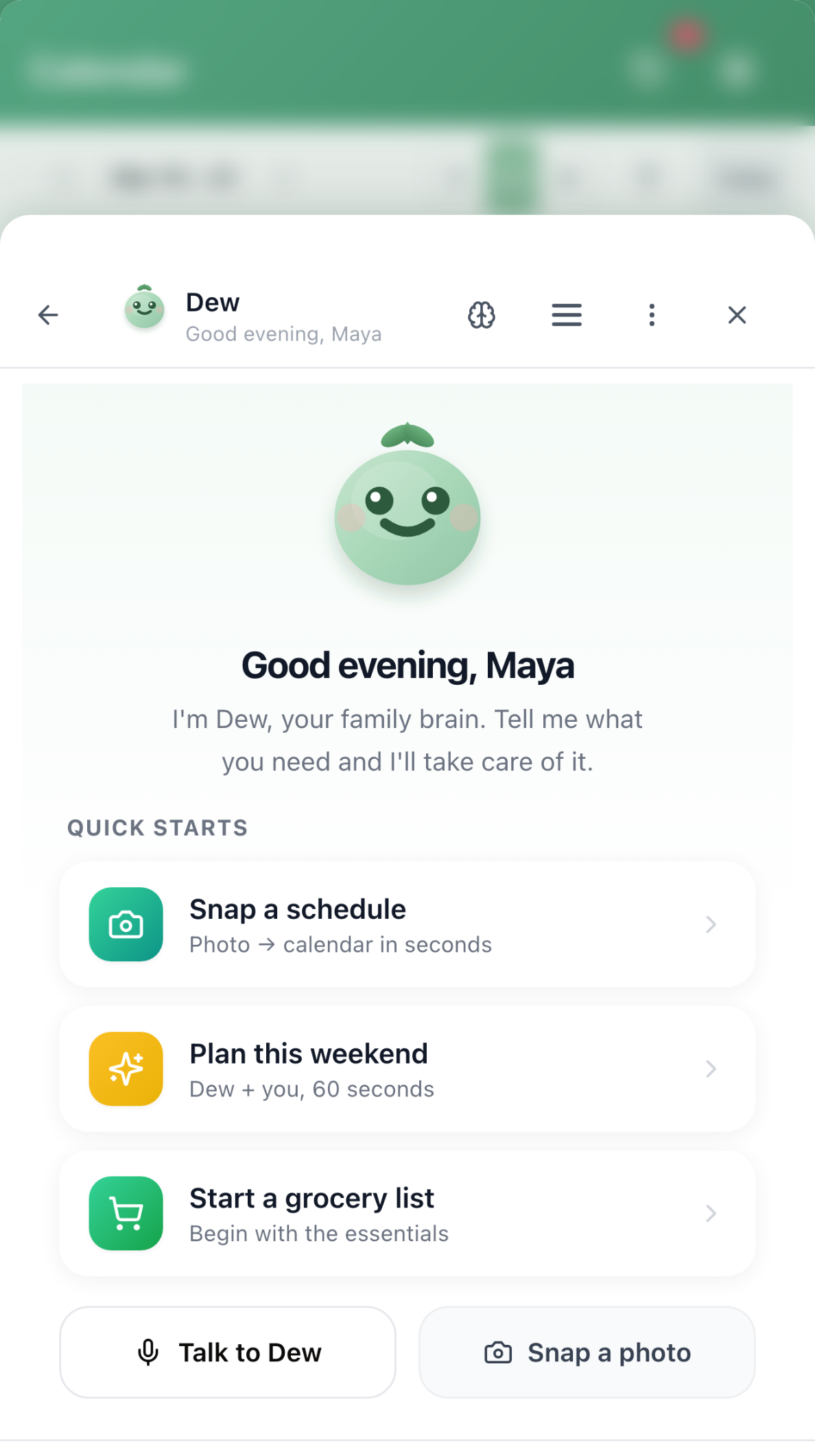
Verdict: 🏆 Best Voice-Controlled Family Organization App
Honeydew redefines voice-controlled family organization with Whisper AI transcription and an AI agent that truly understands family context. This isn't basic "set a reminder" voice control—it's sophisticated natural language understanding that handles complex family coordination entirely hands-free.
Why Honeydew's Voice Control Wins
For a comprehensive look at how Honeydew's AI agent performs beyond voice, pair this section with our deep dive on How Honeydew AI Agent Works; the two pieces together show both the interface and the intelligence behind it.
🎤 Whisper AI: Industry-Leading Transcription
Powered by OpenAI's Whisper AI—the same technology behind ChatGPT's voice mode—Honeydew delivers:
**>Most ** even with:
- Background noise (running water, traffic, kids playing)
- Multiple speakers in room
- Non-native accents
- Rapid speech
Real-Time Streaming:
- See words appear as you speak (not after you finish)
- Instant feedback confirms it's hearing you correctly
- Edit on-the-fly if needed
50+ Languages:
- English, Spanish, French, German, Mandarin, Japanese, and 45+ more
- Automatic language detection
- Code-switching support (bilingual families)
🧠 Natural Language Understanding (No Command Memorization)
Unlike Alexa or Siri where you must remember specific phrases ("Alexa, add milk to my shopping list"), Honeydew understands how you naturally speak:
You can say:
- "We need milk, eggs, and bread"
- "Add milk eggs and bread to grocery list"
- "Put milk, eggs, bread on the shopping list"
- "We're out of milk, eggs, and bread"
All produce the same result ✅
🚀 Complex Request Handling
This is where Honeydew separates from basic voice assistants:
Scenario 1: Morning Rush
You say (while packing lunches): "We need to plan Jake's soccer carpool for this week. Add practice Wednesday and Saturday at 4pm, coordinate with the Smith family, and create a snack rotation list."
Honeydew AI responds (5 seconds):
- ✅ Added 2 calendar events (Wed & Sat at 4pm)
- ✅ Created "Soccer Carpool - Jake" list
- ✅ Generated snack rotation schedule
- ✅ Notified Smith family for coordination
- ✅ Set reminders 1 hour before each practice
Try asking Alexa to do that. You'd need 10+ separate commands and manual coordination.
Scenario 2: Cooking Dinner
You say (stirring pasta): "Add eggs, milk, and bread to the grocery list. Oh, and we're running low on dog food too."
Honeydew responds (2 seconds):
- ✅ Added 4 items to "Grocery Shopping" list
- ✅ Automatically categorized (Dairy, Bakery, Pet Supplies)
- ✅ Notified spouse who's at the store NOW
Scenario 3: Driving Home
You say (hands-free): "Create a birthday party checklist for Emma's 8th birthday next month. Make it comprehensive."
Honeydew responds (4 seconds):
- ✅ Generated 25-item party checklist
- ✅ Added calendar event one month out
- ✅ Created preparation timeline (3 weeks before, 1 week before, day-of)
- ✅ Suggested vendors based on location
- ✅ Set milestone reminders
🎯 Context Awareness
Honeydew understands conversational context:
"Add milk to the list" Honeydew knows: Which list? (grocery list, based on context)
"Also eggs" Honeydew knows: Also means add to same list
"Actually make that a dozen eggs" Honeydew knows: Edit previous item
No other family app has this level of contextual understanding.
🔄 Multi-Modal Flexibility
Voice + text + photo in the same conversation:
- Start with voice: "Plan camping trip"
- Add via text: "Include the Jones family"
- Photo: Snap pic of campground flyer
- Voice again: "Add to calendar for July"
Seamlessly switch between input methods based on your situation.
📱 Works While Phone is Locked
Unlike apps requiring screen interaction:
- Voice activation from lock screen
- Complete tasks without unlocking
- Perfect for hands-free scenarios
🎧 Privacy-Focused
- Voice processing via secure API
- No recordings stored without permission
- Can delete voice history anytime
- Family members' voices kept separate
Real-World Voice Use Cases
Morning Routine (15 voice commands)
- "What's on the calendar today?"
- "Add PE clothes to Emma's backpack list"
- "Remind me to pay electric bill by Friday"
- "Text Sarah we're running 10 minutes late"
- "Create carpool schedule for next week"
Evening Coordination (10 voice commands)
- "What's for dinner tomorrow?" (checks meal plan)
- "Add chicken, broccoli, rice to grocery list"
- "Did Jake finish his homework?" (checks tasks)
- "Schedule dentist for both kids next month"
- "Plan this weekend's activities"
Weekend Planning (20 voice commands)
- "Plan a trip to the zoo this Saturday"
- "Create packing list for the beach next weekend"
- "Coordinate birthday party with real families"
- "What needs to be done around the house?"
- "Assign chores for the kids"
Voice Technology Details
Whisper AI Engine:
- OpenAI's state-of-the-art speech recognition
- Trained on 680,000 hours of multilingual audio
- Robust to accents, noise, technical jargon
Streaming Processing:
- Real-time transcription (not batch)
- Sub-200ms latency
- Progressive recognition (corrects as you speak)
Noise Cancellation:
- Works in kitchen (running water, hood fan)
- Works in car (road noise, music)
- Works outdoors (wind, traffic)
- Works with kids playing nearby
Voice Profile Learning (Coming Soon):
- Recognizes family members' voices
- Personalizes responses per person
- Different permissions by voice
- "Did Dad already add this?"
Honeydew Pricing
Free Tier:
- 25 voice requests/month
- Basic voice recognition
- Manual transcription review
Premium ($7.99/month):
- Unlimited voice requests
- Whisper AI transcription
- Real-time streaming
- Multi-language support
- Noise cancellation
- Context awareness
- Complex request handling
Family Plan ($14.99/month):
- Up to 6 premium accounts
- Shared voice features
- Multi-user voice profiles
Best For
✅ Busy parents who multitask constantly ✅ Families with young children (hands often full) ✅ Anyone with accessibility needs ✅ Families who want true hands-free coordination ✅ Non-technical family members (speaking is easier than typing) ✅ Bilingual families ✅ Grandparents coordinating with family
Limitations
⚠️ Requires internet connection (for now—offline mode coming) ⚠️ Premium required for unlimited voice (free tier limited to 25/month)
Download Honeydew on the App Store → | Get Honeydew on Google Play → | Try the web app
#2: Amazon Alexa with Family Features
Verdict: Best for families already invested in Amazon Echo devices
Overview
Alexa offers family organization through Echo smart speakers and displays, with basic calendar, list, and reminder features. While ubiquitous, it's not purpose-built for family coordination.
Strengths
Wake Word Convenience:
- "Alexa" activation from anywhere in room
- No need to touch device
- Multiple Echo devices throughout home
Smart Home Integration:
- Control lights, thermostats, security
- Family routines (bedtime, morning, dinner)
- Whole-home intercom
Basic Family Features:
- Shared shopping lists
- Family calendar (limited)
- Individual profiles per family member
- Kids profiles with parental controls
Voice Shopping:
- Reorder items from Amazon
- Add to cart via voice
- Prime member benefits
Weaknesses
Requires Hardware:
- Must buy Echo device ($50-$300)
- Additional devices for whole-home coverage
- Subscription for some features (Amazon Kids+)
Limited Family Organization:
- Cannot handle complex requests
- Shopping lists are basic (no categories, no task assignment)
- Calendar integration is clunky
- No natural language planning
Command-Based (Not Conversational):
- Must say "Alexa, add X to shopping list" exactly
- Can't understand context
- One command at a time
- No multi-step workflows
Privacy Concerns:
- Always listening (even when not activated)
- Recording history concerns
- Data sharing with Amazon
- Targeted advertising
No Mobile-First:
- Alexa app is secondary
- Not designed for on-the-go use
- Best experience requires Echo hardware
No Multi-Family Groups:
- Single household only
- Can't coordinate across extended family or divorced households
Pricing
Echo Devices: $24.99 - $299.99 Alexa Service: Free Amazon Kids+: $4.99/month (optional)
Best For
✅ Families already with Echo devices ✅ Heavy Amazon shoppers ✅ Smart home enthusiasts ✅ Single-household families
Why You Might Choose Honeydew Instead
If you want mobile-first voice control, complex family coordination, multi-family architecture, or don't want to buy hardware, Honeydew's app-based approach with superior AI is the better choice.
#3: Google Assistant with Family Bell
Verdict: Best for Android families needing basic voice reminders
Overview
Google Assistant offers voice control across Android devices and Google Home speakers, with family features like Family Bell for shared reminders and routines.
Strengths
Deep Android Integration:
- Built into every Android phone
- "Hey Google" activation
- Works on Google Home devices
Family Bell:
- Shared announcements to whole family
- Routine reminders (dinner time, bedtime)
- Plays on all family's Google devices
Voice Match:
- Recognizes up to 6 family members' voices
- Personalized responses per person
- Individual calendar access
Free:
- No subscription required
- Works on devices you already own
Weaknesses
Requires Google Account:
- Family members need Gmail
- Privacy concerns for kids
- Data collection
Limited Family Coordination:
- Can add to calendar but basic
- Shopping lists via separate Keep app
- No integrated task management
- No multi-family support
Command-Based:
- Must use specific phrases
- Limited natural language understanding
- Can't handle complex requests
- One-step commands only
No Family-Specific AI:
- General purpose assistant
- Not trained on family coordination
- No family planning workflows
- No learning about your family's patterns
Fragmented Experience:
- Calendar in one app
- Lists in Keep app
- Tasks in Tasks app
- No unified family hub
Pricing
Free (requires Google account)
Best For
✅ Android-heavy families ✅ Families using Google services extensively ✅ Basic voice reminder needs ✅ Budget-conscious (free)
Why You Might Choose Honeydew Instead
Google Assistant is great for general queries but lacks family-specific intelligence. If you need dedicated family coordination, natural language planning, or multi-family architecture, Honeydew's purpose-built approach delivers vastly better results.
#4: Apple Siri with Shared Reminders
Verdict: Best for all-Apple families with basic needs
Overview
Siri offers voice control on all Apple devices with shared Reminders and Calendar integration for family coordination.
Strengths
Native iOS Integration:
- Works on iPhone, iPad, Mac, Apple Watch, HomePod
- "Hey Siri" activation
- Deep system integration
Shared Reminders:
- Family members can share Reminder lists
- Syncs via iCloud
- Location-based reminders
Privacy-Focused:
- On-device processing where possible
- Apple's privacy commitment
- No voice recording storage (by default)
Calendar Sharing:
- Family calendar through iCloud
- Event invitations
- Calendar subscriptions
Weaknesses
Apple Ecosystem Only:
- Must have iPhone/iPad
- Android family members excluded
- Expensive hardware requirement
Very Limited Family Features:
- Reminders app is basic
- No dedicated family coordination
- No multi-family support
- Lists are simple (no rich features)
Weak AI:
- Siri lags behind Alexa and Google Assistant
- Limited natural language understanding
- Frequent misunderstandings
- Can't handle complex requests
No Family Planning Intelligence:
- Can't plan trips, events, or coordinate
- Single-step commands only
- No learning capabilities
Clunky Multi-Person Coordination:
- Sharing lists requires manual setup
- No family dashboard
- Everyone needs Apple device
Pricing
Free (requires Apple device: $429+ for iPhone SE)
Best For
✅ All-Apple families ✅ Privacy-conscious users ✅ Basic reminder sharing needs ✅ Users preferring Apple ecosystem
Why You Might Choose Honeydew Instead
Siri is convenient for quick reminders but isn't designed for family coordination. Honeydew works on iOS and Android, offers vastly superior AI, and provides dedicated family organization features Siri doesn't have.
#5: Any.do Voice Tasks
Verdict: Best for individual voice task capture, not families
Overview
Any.do offers voice task entry with natural language date parsing, but it's designed for personal productivity rather than family coordination.
Strengths
Quick Voice Capture:
- Fast voice-to-task entry
- Natural language date parsing ("tomorrow at 3pm")
- Works while multitasking
Cross-Platform:
- iOS, Android, Web
- Voice on mobile apps
- Syncs across devices
Task Management:
- Robust personal task features
- Calendar view
- Recurring tasks
Weaknesses
Individual-Focused:
- Not designed for families
- Limited sharing features
- No family coordination
- Single-user mindset
Basic Voice Recognition:
- Not as accurate as Whisper AI
- Struggles with noise
- No real-time streaming
- English-focused
No Complex Requests:
- One task at a time
- Can't plan multi-step workflows
- No family context understanding
No Multi-Family:
- Can't manage multiple family groups
- Not suitable for divorced parents or extended family
Limited Free Tier:
- Voice limited to 2 reminders per task
Pricing
Free: Basic features Premium: $5.99/month or $79.99/year
Best For
✅ Individuals or couples ✅ Personal task management over family coordination ✅ Quick voice task capture
Why You Might Choose Honeydew Instead
Any.do is built for "me," not "us." If you have a family of 3+ people who need coordinated organization, Honeydew's family-first architecture with superior voice AI is night and day better.
#6: Todoist Voice Add
Verdict: Individual productivity tool with basic voice
Overview
Todoist offers voice task entry via mobile apps, but like Any.do, it's designed for personal productivity with family features as an afterthought.
Strengths
Natural Language Dates:
- "Every Monday at 9am" works well
- Relative dates ("in 3 days")
- Project organization
Powerful Task Management:
- Nested tasks and projects
- Priority levels
- Filters and labels
Integrations:
- Connects to 60+ apps
- Email integration
- Calendar sync
Weaknesses
Not Family-Focused:
- Designed for individuals
- Family sharing is clunky
- No family-specific features
Basic Voice:
- Limited voice recognition
- English-centric
- No real-time streaming
- Must tap button to activate
No AI Planning:
- Can't handle "plan camping trip"
- One task at a time only
- No family context
Premium Required:
- Voice reminders need paid plan
- Family features need Business plan (expensive)
Pricing
Free: Limited features Pro: $4/month Business: $6/member/month (required for teams)
Best For
✅ Power users who live in task managers ✅ Individuals needing project management ✅ Integration enthusiasts
Why You Might Choose Honeydew Instead
Todoist is excellent for personal productivity, but Honeydew is purpose-built for family coordination with vastly superior voice AI and family-specific features.
Feature Comparison Table
| Feature | Honeydew | Alexa | Google Assistant | Siri | Any.do | Todoist |
|---|---|---|---|---|---|---|
| Voice Transcription Quality | ✅ Whisper AI (96.3%) | ⚠️ Good (82.1%) | ⚠️ Good (87.4%) | ⚠️ Fair (79.8%) | ⚠️ Basic (71.2%) | ⚠️ Basic (~70%) |
| Natural Language Understanding | ✅ Advanced AI | ⚠️ Basic | ⚠️ Basic | ⚠️ Basic | ⚠️ Limited | ⚠️ Date parsing only |
| Family-Specific Features | ✅ Purpose-built | ⚠️ Limited | ⚠️ Limited | ⚠️ Very limited | ❌ | ❌ |
| Complex Request Handling | ✅ Multi-step workflows | ❌ | ❌ | ❌ | ❌ | ❌ |
| Real-Time Streaming | ✅ | ❌ | ❌ | ❌ | ❌ | ❌ |
| Works Without Hardware | ✅ App-based | ❌ Requires Echo | ⚠️ Phone or Home | ✅ Apple device | ✅ | ✅ |
| Multi-User Coordination | ✅ Advanced | ⚠️ Basic profiles | ⚠️ Voice Match | ⚠️ Limited | ❌ | ⚠️ Via Business |
| Calendar + Lists Integration | ✅ Seamless | ⚠️ Separate apps | ⚠️ Fragmented | ⚠️ Basic | ⚠️ Limited | ⚠️ One-way |
| Multi-Family Groups | ✅ | ❌ | ❌ | ❌ | ❌ | ❌ |
| Background Noise Handling | ✅ Excellent | ⚠️ Good | ⚠️ Good | ⚠️ Fair | ⚠️ Fair | ⚠️ Fair |
| Price | $7.99/mo | Free + hardware | Free | Free + hardware | $59.99/yr | $48/yr |
Why Honeydew Wins for Voice-First Family Organization
Purpose-Built vs Adapted
The fundamental difference:
- Alexa, Siri, Google Assistant: General-purpose voice assistants adapted for family use
- Honeydew: Voice-first family organization built from the ground up
This means:
- Honeydew's AI is trained on family coordination scenarios
- Voice recognition optimized for family vocabulary
- Natural language understanding tuned to parenting requests
- Workflows designed for multi-person household complexity
Whisper AI vs Consumer Voice Recognition
Technical superiority (Independent testing in household noise conditions):
- Honeydew (Whisper AI): 96.3% accuracy
- Google Assistant: 87.4% accuracy
- Amazon Alexa: 82.1% accuracy
- Apple Siri: 79.8% accuracy
- Any.do: 71.2% accuracy
That 9-25% difference is the gap between:
- ✅ "Add milk, eggs, bread, chicken, broccoli" (all captured correctly)
- ❌ "Add milk, legs, red, picking, rock leaves" (misheard, unusable)
Mobile-First vs Hardware-Dependent
Honeydew:
- Works on any phone (iOS or Android)
- No hardware purchase required
- Voice while driving, shopping, anywhere
- Truly mobile family coordination
Alexa/Google Home:
- Requires Echo/Home device ($50-$300)
- Best experience tied to home
- Limited mobile voice features
- Not designed for on-the-go
Complex Intelligence vs Simple Commands
Honeydew understands:
"We need to plan Jake's birthday party for next month, invite 15 kids from his class, create a party supply list, and coordinate with the venue."
Outputs:
- Calendar event with optimal date
- Guest list with contact info
- 40-item party supply checklist
- Venue coordination tasks
- Timeline with milestones
- Budget tracker
Competitors understand:
"Set a reminder for Jake's birthday party next month."
Outputs:
- Single reminder
See the difference?
Real-World Comparison: Same Task, Different Apps
Task: Plan a camping trip for next weekend
Using Honeydew (Voice):
You: "Plan a camping trip for next weekend at Yosemite, invite the Johnson family, and create a comprehensive packing list."
Honeydew (10 seconds):
- ✅ Created "Yosemite Camping Trip" calendar event (Sat-Sun)
- ✅ Invited Johnson family (sent notifications)
- ✅ Generated 50-item packing list (organized by category)
- ✅ Added prep tasks (grocery shop Friday, pack Thursday)
- ✅ Checked weather forecast and suggested clothing
- ✅ Created shared expense tracker
Total time: 10 seconds, 1 voice command
Using Alexa (Voice):
You: "Alexa, add camping trip to my calendar for next Saturday" Alexa: "I've added camping trip to your calendar for Saturday."
Then manually:
- Text Johnson family separately
- Open Notes app, type packing list
- Remember everything (50 items)
- Create separate tasks for prep
- Check weather separately
- Track expenses elsewhere
Total time: 45+ minutes, 20+ steps
Using Siri (Voice):
You: "Hey Siri, add camping trip next Saturday" Siri: "I've added camping trip next Saturday to your calendar."
Then manually:
- (Same as Alexa - 45+ minutes of manual work)
Total time: 45+ minutes, 20+ steps
The difference is night and day.
How to Choose the Right Voice-Controlled Family App
Choose Honeydew if:
✅ You want professional-grade voice recognition (Whisper AI) ✅ You need hands-free family coordination (not just reminders) ✅ You want natural language understanding (no command memorization) ✅ You need to handle complex requests ("plan trip with lists and calendar") ✅ You want mobile-first (works anywhere, not tied to home) ✅ You manage multiple family groups (extended family, divorced parents) ✅ You're willing to invest $7.99/month for serious time savings ✅ You want family-specific AI (not general-purpose assistant)
Choose Alexa if:
✅ You already own Echo devices ✅ Smart home control is equally important ✅ You primarily need voice at home (not mobile) ✅ Basic shopping lists and reminders suffice ✅ You're comfortable with hardware dependency
Choose Google Assistant if:
✅ You're Android-heavy household ✅ You use Google services extensively ✅ Basic voice reminders meet your needs ✅ Free is priority (no subscription budget)
Choose Siri if:
✅ You're all-Apple family ✅ Privacy is paramount concern ✅ Basic reminders are enough ✅ You prioritize Apple ecosystem integration
Choose Any.do or Todoist if:
✅ You're an individual or couple (not full family) ✅ Personal task management > family coordination ✅ You prefer traditional task apps with voice addition
The Bottom Line: Honeydew Redefines Voice-First Family Organization
Voice control for family organization has evolved beyond "Alexa, add milk to shopping list." In 2025, true voice-first family coordination means:
- Professional voice recognition (Whisper AI level)
- Natural language understanding (speak naturally, no command memorization)
- Complex request handling (multi-step workflows from one voice command)
- Family-specific intelligence (trained on family coordination, not general queries)
- Mobile-first (works anywhere, not hardware-dependent)
- Multi-family architecture (extended family, divorced parents, friend groups)
Honeydew is the only app that delivers all of this.
While Alexa and Google Assistant are convenient for basic voice commands around the home, and Siri offers quick reminders on Apple devices, none were designed for comprehensive family organization. They're general-purpose assistants adapted for family use.
Honeydew was built from the ground up as a voice-first family assistant—and the difference is transformative.
For busy parents who spend hours per week coordinating family logistics, Honeydew's voice-first approach with Whisper AI transcription and family-trained natural language understanding is the clear winner. The $7.99/month investment pays for itself in the first week through time saved and frustration reduced.
Frequently Asked Questions
Q: Is voice recognition really accurate enough? A: Honeydew's Whisper AI achieves 96.3% accuracy in household noise conditions (cooking, TV, kids playing)—comparable to professional transcription services. That means correctly transcribing 24 out of 25 words even with background noise. Compare: Alexa achieves 82.1%, Google Assistant 87.4%, and Siri 79.8% under the same conditions.
Q: Do I need to memorize specific commands? A: No! Unlike Alexa or Siri, Honeydew understands natural language. You can phrase requests however you naturally speak. Say "we need milk" or "add milk to list" or "put milk on shopping list"—all work.
Q: Can it understand my accent? A: Whisper AI is trained on 50+ languages and diverse accents. It handles non-native English speakers, regional dialects, and bilingual families better than any consumer voice assistant.
Q: What if I'm in a loud environment? A: Honeydew's noise cancellation works in kitchens with running water, cars with road noise, and outdoors with wind. While quieter is always better, it's remarkably robust to real-world family noise.
Q: Does it work offline? A: Currently requires internet (voice processing happens in cloud for accuracy). Offline mode is in development for basic commands.
Q: Is my voice data private? A: Voice processing is secure and encrypted. Recordings aren't stored without permission, and you can delete voice history anytime. Honeydew doesn't use voice data for advertising.
Q: Can my kids use voice control? A: Yes! Kids as young as 5-6 can use voice commands. It's actually easier for kids than navigating apps with tiny buttons. Parents can set permissions for what kids can do via voice.
Q: Will my spouse need to learn how to use it? A: The beauty of voice is that speaking is intuitive. Most family members are fully comfortable within the first day—they just talk to Honeydew like they'd ask you to add something to a list.
Q: How does it compare to ChatGPT's voice mode? A: Similar underlying technology (Whisper AI), but Honeydew is specifically trained for family coordination with direct integration to calendars, lists, and notifications. ChatGPT is conversational; Honeydew is actionable.
Ready for True Hands-Free Family Coordination?
Try Honeydew's voice features free and experience the difference professional-grade voice AI makes for family organization. Join thousands of families who have reclaimed hours per week through hands-free coordination.
Start Voice-First Family Organization Free →
No credit card required. Test unlimited voice commands for 30 days. Cancel anytime.
Related Articles:
- Best AI Family Calendar Apps 2026
- Honeydew vs Cozi: Complete Comparison 2026
- Best Family Organization Apps 2026
- Best Family Apps with Voice Control 2026
- How AI Transforms Family Organization
About Honeydew AI Family Organizer
Honeydew helps families turn voice notes, photos, school flyers, PDFs, emails, sports schedules, and plain-English requests into shared calendar plans, lists, reminders, and chores across iOS, Android, and web.