Honeydew Wall Mode · Family OS, not a wall widget vendor
The AI family command center you can mount on any tablet
Short answer: Honeydew is the family OS for capture, planning, and sync across homes and devices. Wall Mode is the always-visible view on a screen you already own—alongside phones and web.
- Calendar + lists + Dew AI planning on every device, not only a wall widget.
- Wall Mode on a tablet or browser: use hardware you already own.
- Voice capture, photo capture, shared lists, and calendar plans for household coordination.
Pricing: free tier available; paid options and current terms are shown before purchase in the App Store, Google Play, and web app.
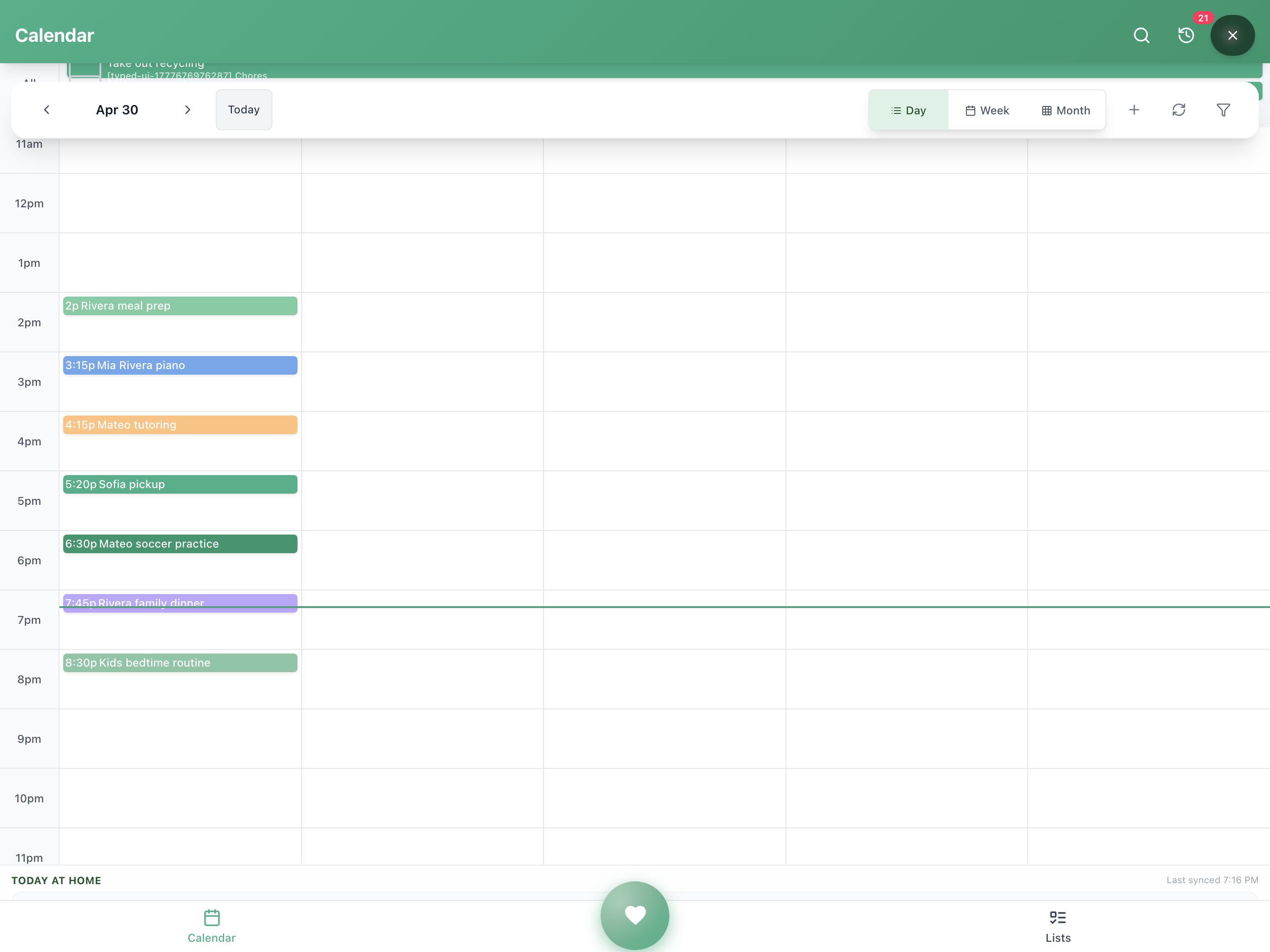
Representative layout: open Honeydew, enable Wall Mode from the in-app entry point, then adjust brightness and auto-lock in iPadOS or Android settings.
Compare the workflows and devices
Dedicated displays keep a schedule visible in one room; many also offer lists, chores, or AI capture. Honeydew offers Dew-assisted planning, shared calendars, and lists across compatible devices in one family space. Check the workflow, member limits, internet requirements, and Wall Mode on your device before choosing.
Check current hardware and optional software costs with the vendor: Hardware price varies by model and retailer + optional Calendar Plus $79/yr (US)
Illustrative total cost of ownership
Swipe each card for a quick read—full table on wider screens.
Honeydew + tablet you own
Hardware: $0 (use existing)
Software: Free tier; Premium $79.99/yr
AI planning: Dew AI planning
Portable: Yes
3-year total (rough): $0-$240 (illustrative; premium only)
Honeydew + budget tablet
Hardware: $50-00
Software: Free tier; Premium $79.99/yr
AI planning: Dew AI planning
Portable: Yes
3-year total (rough): $50-$340 (illustrative; hardware + optional premium)
Skylight Calendar
Hardware: Hardware price varies by model and retailer
Software: optional Calendar Plus $79/yr (US)
AI planning: Sidekick AI and Magic Import (Plus)
Portable: Companion mobile app
3-year total (rough): Hardware + $237 for three optional US Plus years
Hearth Display
Hardware: Check current vendor plans, hardware and regional pricing
Software: —
AI planning: Check current vendor features
Portable: Check current app access
3-year total (rough): Check hardware and current subscription
| Option | Hardware | Software (annualized) | AI planning | Portable | 3-year (illustrative) |
|---|---|---|---|---|---|
| Honeydew + tablet you own | $0 (use existing) | Free tier; Premium $79.99/yr | Dew AI planning | Yes | $0-$240 (illustrative; premium only) |
| Honeydew + budget tablet | $50-00 | Free tier; Premium $79.99/yr | Dew AI planning | Yes | $50-$340 (illustrative; hardware + optional premium) |
| Skylight Calendar | Hardware price varies by model and retailer | optional Calendar Plus $79/yr (US) | Sidekick AI and Magic Import (Plus) | Companion mobile app | Hardware + $237 for three optional US Plus years |
| Hearth Display | Check current vendor plans, hardware and regional pricing | — | Check current vendor features | Check current app access | Check hardware and current subscription |
Skylight optional US Plus is $79/year, verified October 26, 2026. Hardware varies by model/retailer. Three years assumes three paid years, excluding any trial, discounts, tax or price changes. Other vendor totals require re-verification.
Five decisions: from spare screen to Wall Mode
Choose a device class
Use a tablet, phone, laptop, or desktop browser. Most families start with an iPad, Fire tablet, or Android tablet they already own.
Install Honeydew and sign in
Install from the App Store, Google Play, or open the web app. Create an account so your family calendar and lists are available across devices. (app.gethoneydew.app)
Choose mount or placement
Wall mounts are typically 0-$20 online. A counter stand, shelf, or magnetic fridge mount also works.
Keep power connected
Plug in the charger and route the cable safely. Always-on wall views need steady power; use the adapter that came with your device.
Always-on policy + Wall Mode
In iPadOS or Android settings, adjust auto-lock / screen timeout for the longest session you want. Open Honeydew, enable Wall Mode from the in-app entry point, then tune brightness for your kitchen or hallway.
What we are proving with this page
Families want the wall-display job—not only a new appliance
Strong engagement here means “use the screens you already own” plus AI planning resonates more than buying another single-purpose kitchen screen.
Why software on your own screens scales with your week
It travels with you
A fixed wall unit stays in the kitchen. Honeydew is on your phone at practice, in the car, and on vacation.
AI does planning work
Say “plan meals for the week” or photograph a school flyer. Dew helps draft lists, calendar plans, and reminders.
Everyone gets access
Co-parents, grandparents, and caregivers can use the same shared workspace, not only whoever walks past one wall.
Voice input while cooking
Hands-free capture helps you add items without tapping a wall keyboard.
Updates without hardware cycles
Your device ecosystem gets app updates; you are not locked to one wall-mounted generation.
Lower total cost for most households
Start with the free tier and review paid options in the App Store, Google Play, or web app before purchase.
Next step: install Honeydew, then open Wall Mode
Primary path is the app (iOS, Android, or web). Use the comparison or hub if you are still evaluating Skylight-style hardware.